09. Exercise: Custom Attributes
Exercise
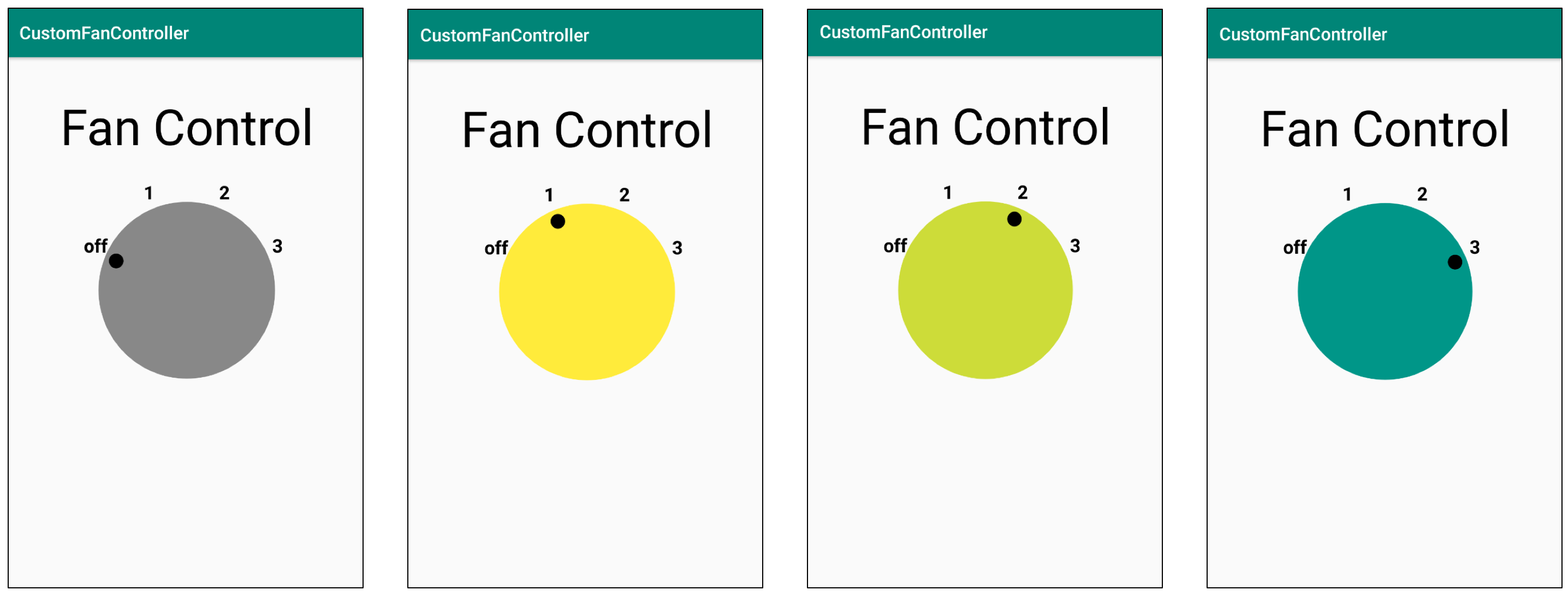
This exercise shows the basic mechanics of using custom attributes with your custom view. In this exercise you will define custom attributes for DialView with a different color for each fan dial position.
Create or open
res/values/attrs.xml.Define attributes for three fan colors. Define the
nameandformatof your custom attributes in a<declare-styleable>resource element. Theformatis like a type, and in this case, it's acolor.
<?xml version="1.0" encoding="utf-8"?>
<resources>
       <declare-styleable name="DialView">
           <attr name="fanColor1" format="color" />
           <attr name="fanColor2" format="color" />
           <attr name="fanColor3" format="color" />
       </declare-styleable>
</resources>
The above code declares a styleable called DialView. The name is, by convention, the same name as the name of the class that defines the custom view (in this case, DialView). Although it's not strictly necessary to follow this convention, many popular code editors depend on this naming convention to provide statement completion.
- In
activity_main.xml, in theDialView, add attributes forfanColor1,fanColor2, andfanColor3, and set their values. Useapp:as the preface for the custom attribute (as inapp:fanColor1) rather thanandroid:because your custom attributes belong to theschemas.android.com/apk/res/your_app_package_namenamespace rather than theandroidnamespace.
app:fanColor1="#FFEB3B"
app:fanColor2="#CDDC39"
app:fanColor3="#009688"
In order to use the attributes, you need to retrieve them. They are stored in an AttributeSet, that is handed to your class upon creation, if it exists. You retrieve the attributes in init, and then you assign the attribute values to local variables for caching.
- In
DialView, declare variables to cache the attribute values.
private var fanSpeedLowColor = 0
private var fanSpeedMediumColor = 0
private var fanSeedMaxColor = 0- In the
initblock, add the following code using the withStyledAttributes extension function. You supply the attributes and view, and and set your local variables.
context.withStyledAttributes(attrs, R.styleable.DialView) {
   fanSpeedLowColor = getColor(R.styleable.DialView_fanColor1, 0)
   fanSpeedMediumColor = getColor(R.styleable.DialView_fanColor2, 0)
   fanSeedMaxColor = getColor(R.styleable.DialView_fanColor3, 0)
}
Note: Android and the Kotlin extension library (android-ktx) do a lot of work for you here! The android-ktx library provides Kotlin extensions with a strong quality-of-life focus. For example, the withStyledAttributes extension replaces a significant number of lines of rather tedious boilerplate code. For more on this library, check out the documentation, and the original announcement blog post!
- Now you can use the local variables in your code. In
onDraw()to set the dial color based on the current fan speed.
paint.color = when (fanSpeed) {
   FanSpeed.OFF -> Color.GRAY
   FanSpeed.LOW -> fanSpeedLowColor
   FanSpeed.MEDIUM -> fanSpeedMediumColor
   FanSpeed.HIGH -> fanSeedMaxColor
} as Int- Run your app, click on the dial, and the color setting should be different for each position, as shown below.